Posted on Leave a comment

Zero Based Budgeting for Teenagers Explained Simply: A Real-Life Money Reset Story

Zero Based Budgeting for Teenagers Explained Simply: A Real-Life Money Reset Story

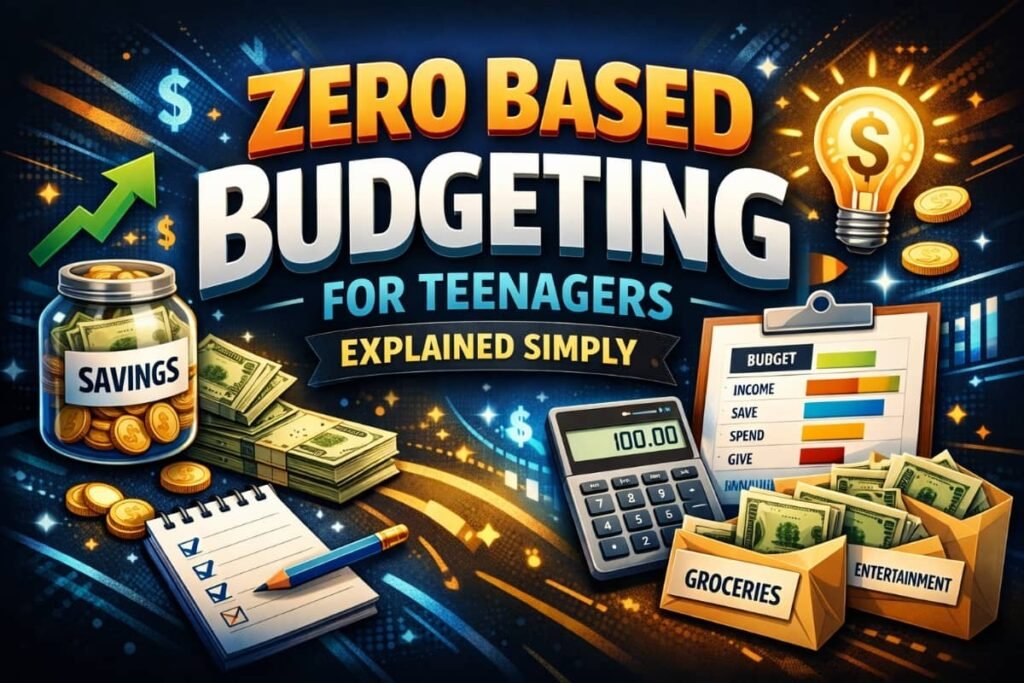
Zero Based Budgeting for Teenagers Explained Simply means deciding where every single dollar goes before you spend it — so money stops disappearing and starts working for you. This simple system helped me go from constantly feeling broke to feeling confident, calm, and in control of my money. I didn’t earn more, I just learned how to give my money purpose — and that changed everything.

If you want a formal definition, zero-based budgeting is explained clearly here on Investopedia

I wasn’t bad with money because I was irresponsible. I was bad with money because no one ever taught me how it actually works. What follows isn’t a textbook explanation. It’s my real story — mistakes, frustration, breakthroughs — and a simple system that finally made money feel clear, calm, and empowering.

Zero Based Budgeting for Teenagers Explained Simply: Why It Finally Made Sense to Me

I still remember opening my banking app at 17 and feeling that familiar pit in my stomach.

I had a part-time job. I didn’t have rent. I didn’t have bills.

So why was my balance always close to zero?

Every paycheck followed the same pattern:

  • First few days: freedom
  • Next week: confusion
  • End of the month: panic

Money wasn’t gone — it had just leaked away quietly. Snacks after school. A game download. Random online purchases. None of it felt big enough to worry about… until it all added up.

The emotional part surprised me most. I didn’t feel lazy or careless. I felt out of control. And that feeling followed me everywhere.

That’s when I learned the most important lesson of all:

Money problems are rarely about math. They’re about clarity.

What Is Zero Based Budgeting (In Teen Language)?

Let’s strip away the intimidating finance words.

Zero-based budgeting simply means this:

You decide where every dollar goes before you spend it — until your balance hits zero.

Important clarification:
“Zero” doesn’t mean you spend everything.
It means every dollar is assigned a purpose.

Some dollars go to:

  • Spending
  • Saving
  • Giving
  • Future goals

When the money arrives, you tell it where to go. Not the other way around.

For the first time, I wasn’t reacting to money.
I was directing it.

The Moment It Finally Clicked for Me

The breakthrough didn’t happen in a classroom. It happened at my desk, late at night, with a cheap notebook and a pen.

I wrote down:

  • My monthly income
  • Every place my money could go

Then I did something radical for a teenager:

I planned my spending before I had the money.

That single moment changed everything.

Suddenly:

  • I stopped feeling guilty when I spent
  • I stopped feeling anxious checking my balance
  • I stopped guessing and started choosing

Zero-based budgeting gave me something I’d never had before — permission with boundaries.

How Zero Based Budgeting Actually Works (Step by Step)

Step 1: Know Exactly How Much Money You Have

This includes:

  • Allowance
  • Part-time job income
  • Gift money (if regular)

Use the lowest predictable number. Overestimating is how budgets fail.

Step 2: List Your Real-Life Categories

Forget complicated charts. Mine looked like:

  • Snacks & food
  • Entertainment
  • Transport
  • Saving
  • Fun money
  • Gifts

The rule: If you spend it, it gets a category.

Step 3: Assign Every Dollar a Job

If you earn $200:

  • $60 snacks
  • $40 entertainment
  • $50 savings
  • $30 transport
  • $20 fun buffer

$200 – $200 = zero

No unassigned money = no mystery stress.

This idea of assigning every dollar a purpose is also echoed in basic budgeting guidance from MoneyHelper’s official budgeting advice in the UK

Step 4: Track Gently, Not Obsessively

I didn’t log every cent. I checked weekly.

Progress beats perfection every time.

Why This Method Works So Well for Teenagers

Teen life is unpredictable. Schedules change. Friends invite you out at the last minute. Impulse buys happen.

Zero-based budgeting works because it’s flexible but intentional.

You’re not saying “I can’t spend.” You’re saying, “I already decided.”

That mindset shift is everything.

Even government education programs now emphasize early money habits — the Consumer Financial Protection Bureau’s teen money resources reinforce why learning budgeting young builds lifelong confidence

How Zero Based Budgeting Helped My Confidence (Not Just My Wallet)

Here’s something no one talks about:

Money clarity builds self-trust.

When I followed my budget:

  • I felt mature
  • I felt capable
  • I felt proud

I stopped hiding purchases. I stopped avoiding my balance. I stopped feeling behind.

Confidence doesn’t come from having more money. It comes from knowing what you’re doing with what you have.

Common Mistakes Teens Make (I Made Them All)

1. Being Too Strict

If you don’t allow fun money, the budget collapses. Fun isn’t the enemy. Guilt is.

2. Forgetting Irregular Expenses

Birthdays. School events. Random costs. Build a “future stuff” category.

3. Giving Up After One Bad Week

One mistake doesn’t mean failure. It means learning.

Budgeting is a skill — not a personality trait.

Australian youth finance programs agree that mistakes are part of learning — ASIC MoneySmart’s budgeting guides emphasize adjusting instead of quitting

How Parents Can Support Without Controlling

If you’re a parent reading this, here’s the truth:

Control creates rebellion. Guidance builds confidence.

What helped me most wasn’t rules. It was a conversation.

Helpful support looks like:

  • Asking questions, not giving lectures
  • Letting teens make small mistakes
  • Celebrating effort, not perfection

Money habits stick when teens feel respected.

Real-Life Example: My First Savings Win

Three months into zero-based budgeting, something wild happened.

I had money left over.

Not accidentally. On purpose.

I saved for something specific — no borrowing, no stress.

That moment taught me:

Planning feels better than impulse, every time.

Why Schools Don’t Teach This (And Why That’s Okay)

Most schools teach math. Few teach money behavior.

That gap isn’t your fault.

The good news? You don’t need a class. You need a system — and practice.

Zero-based budgeting is simple enough to learn young and powerful enough to last a lifetime.

How to Start Today (Even If You’re Overwhelmed)

Start messy. Start small. Start honest.

All you need:

  • One page
  • One income number
  • A few categories

You don’t need perfection. You need clarity.

Frequently Asked Questions (FAQs)

1. Is zero based budgeting too complicated for teenagers?

No. It’s actually simpler than traditional budgeting because it removes guesswork.

2. Do I need an app to use zero based budgeting?

No. Paper works. Notes apps work. Apps are optional — clarity is not.

3. What if my income changes every month?

Budget based on the minimum you expect. Adjust when extra comes in.

4. Can zero based budgeting help with saving?

Yes — saving becomes intentional, not accidental.

5. How long does it take to see results?

Most teens feel calmer within the first month. Confidence builds fast.

Read Also: From Broke to Building My Dreams: 15 Pocket Money Hacks Every Student Must Know

Final Thoughts: Why I Wish I’d Learned This Earlier

If I could go back and tell my teenage self one thing, it would be this:

Money isn’t scary when you give it direction.

Zero Based Budgeting for Teenagers Explained Simply isn’t just about dollars. It’s about freedom. Confidence. Choice.

And the best part?

You don’t need more money. You just need a plan.

If you’re a teenager reading this — or a parent guiding one — start today. One page. One decision. One step toward a calmer financial future.

You’ve got this.

About UsNovember 22, 2025Pradeep Maurya
CartNovember 23, 2025Pradeep Maurya
Contact UsNovember 22, 2025Pradeep Maurya
Posted on Leave a comment

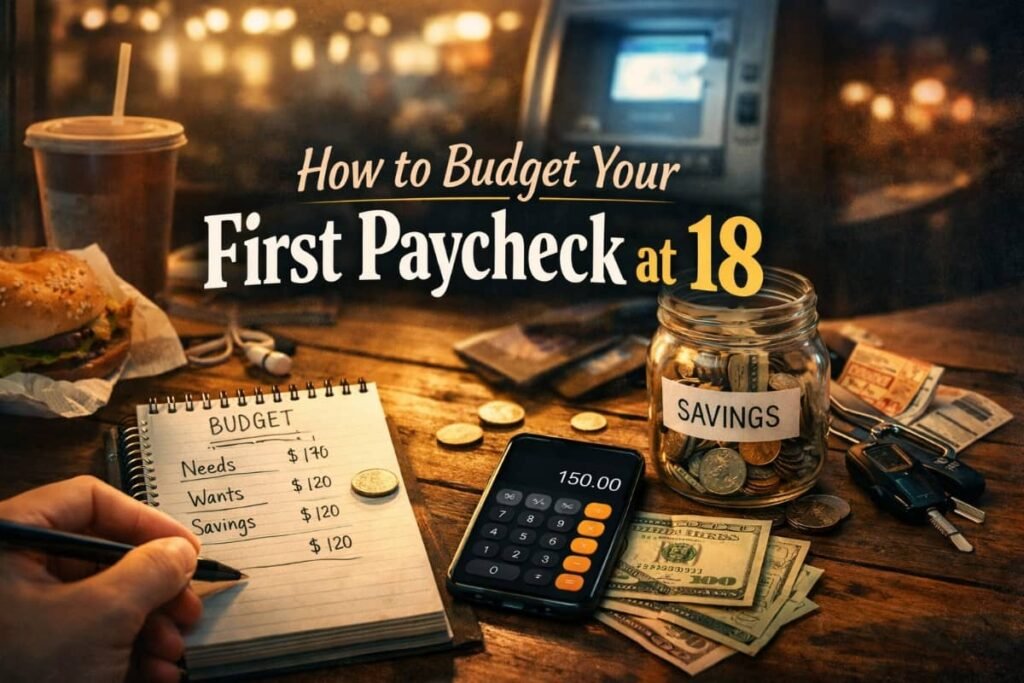
How to Budget Your First Paycheck at 18 (A Real-Life Beginner Guide)

How to Budget Your First Paycheck at 18

How to budget your first paycheck at 18 comes down to one simple truth: decide where your money goes before it disappears. When I got my first paycheck at 18, I thought having money meant freedom — until it was gone in days and I felt stressed, embarrassed, and completely unprepared. This guide isn’t theory or finance jargon. It’s the exact process I learned the hard way, step by step, to take control of my money early and avoid the mistakes most people don’t fix until their 30s.

I didn’t budget my first paycheck at 18. I spent it. Fast. And then I wondered why I was stressed, broke, and embarrassed two weeks later. What follows is the real, human process I went through to finally learn how to budget my first paycheck at 18 — not perfectly, but well enough to change my life.

When I finally accepted that I needed help, I started looking into basic budgeting skills for beginners and realized how little I had actually been taught about money growing up. Budgeting wasn’t something I failed at — it was something I was never shown how to do properly.

How to Budget Your First Paycheck at 18 When You’ve Never Managed Money Before

I still remember the sound of the ATM receipt printing. That thin paper felt like proof I was finally an adult. I was 18, freshly employed, and convinced that money problems were something older people dealt with.

That first paycheck felt huge. Not because it was huge — it wasn’t — but because it was mine. I earned it. Every shift, every annoying customer, every late night.

Here’s what no one told me:
Your first paycheck isn’t just money. It’s a test.

A test of impulse.
A test of priorities.
A test of whether in the future-you gets a voice… or gets ignored.

I failed that test spectacularly.

What surprised me most was learning that my mistakes weren’t unique. So many young people struggle because they’ve never been exposed to real money management tips for teenagers, especially when school focuses more on exams than everyday life skills.

Why Budgeting at 18 Feels Awkward (and Why That’s Normal)

Let’s be honest. When you’re 18, budgeting feels weird.

You don’t have a mortgage.
You’re not thinking about retirement.
You just want to enjoy finally having cash.

I remember thinking, “I’ll budget later. Right now, I deserve this.”

And yes — you do deserve to enjoy your money. But here’s what I learned the hard way:

Budgeting isn’t about restriction. It’s about permission.

A budget doesn’t say “you can’t.”
It says, “you can — without guilt or fear.”

Once I understood that, everything shifted.

How I Blew My First Paycheck (So You Don’t Have To)

I wish I could tell you I spent my first paycheck wisely. I didn’t.

I bought clothes I didn’t need.
I ate out constantly.
I said yes to everything because I finally could.

Two weeks later, I had:

  • No savings
  • No emergency cushion
  • A mild panic attack when my card declined

That moment — standing in line, pretending I wasn’t embarrassed — was my wake-up call.

Money disappears faster when it has no plan.

That was the moment I decided I needed to learn how to budget my first paycheck at 18 — properly this time.

How to Budget Your First Paycheck at 18 (The Simple System That Saved Me)

Step 1: Start With One Honest Question

Before spreadsheets. Before apps. Before rules.

Ask yourself:
“What do I want my money to do for me?”

At 18, my answer was simple:

  • I wanted less stress
  • I wanted some freedom
  • I wanted to stop feeling broke all the time

That clarity matters more than any budgeting method.

Step 2: Pay Yourself First (Even If It’s Tiny)

This was the hardest lesson — and the most powerful.

The first time I tried saving, I waited until the end of the month. There was nothing left.

So I flipped it:

  • The moment I got paid
  • I moved 10% into savings
  • No debate. No excuses.

Sometimes it was $20. Sometimes $40.

It didn’t matter.

What mattered was the habit.

Saving first taught me that future-me mattered just as much as present-me.

I still remember staring at my pay stub and wondering why my first paycheck looked smaller than expected. Nobody explained taxes, deductions, or why my “hourly rate” didn’t match what landed in my account.

Step 3: Use the “Four Buckets” Method (No Math Degree Required)

This is the method that finally stuck for me.

I split my paycheck into four simple buckets:

1. Needs

  • Phone bill
  • Transport
  • Basic food
  • Anything required to live/work

2. Fun

  • Eating out
  • Entertainment
  • Clothes
  • Random joys

3. Savings

  • Emergency fund
  • Short-term goals
  • Long-term peace of mind

4. Giving / Flex

  • Gifts
  • Helping family
  • Unexpected stuff

No complex percentages.
No guilt.

Just awareness.

The first real test of my budget came when something unexpected happened. That’s when I truly understood the importance of building an emergency fund early — not as a financial rule, but as emotional protection against panic and debt.

What Budgeting at 18 Taught Me About Self-Respect

This part surprised me.

Once I started budgeting, something strange happened:
I felt… calmer.

Not richer.
Not perfect.

Just calmer.

Budgeting taught me:

  • To pause before spending
  • To think before reacting
  • To respect my own effort

Every dollar represented an hour of my life.

That realization changed everything.

How Much Should You Save From Your First Paycheck at 18?

This is one of the most searched questions — and here’s the honest answer:

Save what you can without quitting.

For me:

  • Some weeks it was 5%
  • Some weeks it was 15%

The goal wasn’t perfection.
The goal was consistency.

If saving feels painful, you won’t stick with it.
If it feels doable, you’ll build momentum.

Once I understood why saving early matters, even small amounts felt powerful. Saving $20 didn’t seem pointless anymore — it felt like proof that I was finally thinking ahead instead of just surviving payday to payday.

Budgeting Mistakes I Still See 18-Year-Olds Making

I mentor younger coworkers now, and I see the same mistakes I made.

Mistake 1: Waiting to “make more money”

You don’t need more money.
You need more clarity.

Mistake 2: Copying someone else’s budget

Your life isn’t their life.
Your budget should fit you.

Mistake 3: Being too strict

Budgets that don’t allow fun don’t survive.

How to Budget Your First Paycheck at 18 Without Feeling Miserable

Here’s the secret no one says out loud:

If your budget feels like punishment, it’s broken.

Your budget should:

  • Let you enjoy your money
  • Reduce stress
  • Give you confidence

Mine finally worked when I:

  • Scheduled fun spending
  • Forgave small mistakes
  • Focused on progress, not perfection

The Moment I Realized Budgeting Was Changing My Life

About six months in, my phone broke.

Old me would’ve panicked.
New me opened my savings and paid for it.

No stress.
No borrowing.
No shame.

That was the moment I realized budgeting wasn’t about money.

It was about freedom.

How Budgeting Early Gave Me a Head Start Most People Never Get

Starting at 18 gave me something priceless: time.

Time to:

  • Learn without huge consequences
  • Build habits slowly
  • Make mistakes cheaply

Most people don’t learn this until debt forces them to.

You don’t need to be perfect.
You just need to start early.

How to Budget Your First Paycheck at 18 Using Just Your Phone

If you’re wondering how to actually track things, here’s what worked for me:

  • One notes app
  • One weekly check-in
  • One simple list:
    • Money in
    • Money out
    • What’s left

That’s it.

You don’t need fancy tools.
You need honesty and consistency.

Frequently Asked Questions (FAQs)

1. How should an 18-year-old budget their first paycheck?

Start simple. Save a small portion first, cover essentials, allow guilt-free fun, and track everything weekly.

2. Is it really necessary to budget at 18?

Yes — not because you have big bills, but because habits form fast. Early budgeting builds lifelong confidence.

3. How much money should I save from my first job?

Aim for 5–20%. Any amount saved consistently matters more than the number.

4. What’s the easiest budgeting method for beginners?

The four-bucket method (Needs, Fun, Savings, Flex) is simple and flexible.

5. What if I mess up my budget?

You will. Everyone does. Adjust, forgive yourself, and keep going.

Read Also : How to Save Money As a Teenager With No Job

Final Thoughts: Your First Paycheck Is Bigger Than Money

Learning how to budget your first paycheck at 18 isn’t about becoming boring or restrictive.

It’s about:

  • Respecting your effort
  • Protecting your future
  • Giving yourself options

I didn’t get it right the first time.
Or the second.

But I started — and that changed everything.

If you’re holding your first paycheck right now, remember this:

You’re not just earning money. You’re learning how to handle freedom.And that skill?
It’s worth more than the paycheck itself.

About UsNovember 22, 2025Pradeep Maurya
CartNovember 23, 2025Pradeep Maurya
Contact UsNovember 22, 2025Pradeep Maurya
Posted on Leave a comment

Best Budgeting Apps for High School Students 2026: A Real-Life Money Reset

Best Budgeting Apps for High School Students 2026

Best budgeting apps for high school students 2026 saved my future before I even realized I needed saving.

That’s not an exaggeration. In fact, if you’re a high school student (or a parent reading this late at night, worried about your teen’s money habits), here’s the fast answer you came for:

The best budgeting apps for high school students in 2026 are simple, visual, bank-connected tools that teach real-life money skills without shame, overwhelm, or adult-level complexity.

Now let me tell you why I believe this so deeply—and how I learned it the hard way.

Why the Best Budgeting Apps for High School Students 2026 Matter More Than Ever

I still remember standing in line at a convenience store after school. My friends were grabbing snacks. I reached into my pocket and felt… nothing. Again.

I had an allowance. I had birthday money. I even had a part-time job.
But somehow, I never had money when it mattered.

I wasn’t irresponsible. I was untrained.

That realization hit even harder later when I learned how little access most teens have to basic money skills for teens.

No one taught me how to budget. No one showed me how to track spending. And every “finance” article I found felt like it was written for a 35-year-old accountant, not a confused teenager just trying to make $40 last a week.

Everything changed the day I downloaded my first budgeting app. Not because it was perfect—but because it made money visible. Everything changed the day I downloaded my first budgeting app and finally saw my money clearly.

That’s why this list exists.

This isn’t a sterile comparison chart.
This is a real-world, story-driven guide to the best budgeting apps for high school students in 2026, written for teens who want freedom—and parents who want confidence.

What Actually Makes a Budgeting App Good for High School Students?

Research on financial literacy for teens consistently shows that habits formed before adulthood stick far longer than anything learned later.

Before we jump into specific apps, let’s get honest.

Most budgeting apps fail teens because they:

  • Assume adult salaries
  • Use financial jargon
  • Shame you for “bad spending”
  • Feel boring or intimidating

Through years of trial, error, and mentoring younger students, I’ve learned that the best budgeting apps for high school students in 2026 share five core traits:

1. They Are Visual (Not Spreadsheet-Based)

Teens don’t need rows and columns. They need charts, progress bars, and “aha” moments.

2. They Encourage, Not Punish

If an app makes you feel guilty, you’ll delete it. Period.

3. They Work With Small Amounts

$20. $50. $100. Real teen money—not imaginary adult budgets.

4. They Teach Without Lecturing

The best apps coach quietly.

5. They Grow With You

High school turns into college fast. The app should scale with your life.

Keep these in mind as we explore the top tools below.

The Best Budgeting Apps for High School Students 2026 (Real Use, Real Results)

Below are the apps I’ve seen actually change behavior—not just look good in the app store.

1. — The First App That Made My Spending Click

Why Mint Still Works in 2026

Mint was the first budgeting app that showed me where my money was going without judgment.

I remember linking my account and watching categories auto-fill. Snacks. Music. Random stuff I forgot buying. It was uncomfortable—but powerful.

What Makes Mint Great for High School Students

  • Free and widely available
  • Automatic transaction tracking
  • Clear spending categories
  • Strong visual summaries

Real-Life Lesson I Learned

When I saw that $5 here and $7 there added up to $120 a month, I stopped saying “I don’t know where my money goes.”

Mint taught me awareness before discipline.

Best For:

High school students who want a simple, no-cost introduction to budgeting.

2. — Learning With Training Wheels (And That’s a Good Thing)

My Turning Point With Greenlight

I helped my younger cousin set up Greenlight. Watching him learn budgeting at 14—without stress—was eye-opening.

Greenlight is what I wish I had earlier.

Why Greenlight Shines in 2026

  • Parent-connected debit card
  • Built-in spending limits
  • Real-time notifications
  • Savings goals with rewards

The Hidden Superpower

Greenlight turns budgeting into a conversation, not a confrontation, between parents and teens.

Best For:

Families who want guided independence instead of total freedom.

3. — The Confidence Booster App

Why Step Feels Different

Step doesn’t feel like a “kids app.” And that matters.

When teens feel trusted, they act responsibly.

What Step Does Well

  • Teen-friendly banking
  • Easy budgeting views
  • No overdraft stress
  • Credit-building features (future-focused)

Personal Reflection

Confidence is a financial skill. Step gives teens that feeling of “I’ve got this.”

Best For:

High school students who want freedom with guardrails.

4. — The App That Turned Me Into a Planner

The App I Graduated Into

YNAB wasn’t my first app. But it was the one that changed my mindset.

Why YNAB Works (If You’re Ready)

  • Zero-based budgeting
  • Intentional money planning
  • Strong education focus
  • Long-term skill building

The Emotional Shift

YNAB taught me to give every dollar a job.
Money stopped being scary—and started being purposeful.

Best For:

Older high school students who want deep financial control.

5. — Building Habits Early

Why GoHenry Matters

I’ve seen 12-year-olds use GoHenry better than some adults manage money.

Key Strengths

  • Age-appropriate lessons
  • Chores + earning system
  • Gamified saving
  • Parent oversight

Big Lesson

Money habits formed early last a lifetime.

Best For:

Younger high schoolers or middle schoolers preparing ahead.

How to Choose the Right Budgeting App (Based on Personality, Not Hype)

Here’s something most articles won’t tell you:

The “best” app is the one you’ll actually use.

Ask yourself:

  • Do I want freedom or structure?
  • Do I need parental guidance?
  • Am I visual or analytical?
  • Do I want quick wins or deep planning?

Simple Matching Guide

  • Overwhelmed? → Mint
  • Need guidance? → Greenlight
  • Want independence? → Step
  • Love planning? → YNAB
  • Just starting out? → GoHenry

Mistakes I Made With Budgeting Apps (So You Don’t Have To)

Mistake #1: Trying Too Many Apps at Once

More apps ≠ better results.

Mistake #2: Obsessing Over Perfection

Budgeting isn’t about being flawless—it’s about being aware.

Mistake #3: Ignoring Emotions

Spending is emotional. Good apps respect that.

How Budgeting Apps Changed My Life (Beyond Money)

This is the part no one talks about.

Budgeting didn’t just help me save money. It helped me:

  • Say no without guilt
  • Plan for goals confidently
  • Reduce anxiety
  • Trust myself

Money stopped being a mystery—and became a tool.

I later learned that learning money habits early affects confidence, decision-making, and even mental health well into adulthood.

FAQs: Best Budgeting Apps for High School Students 2026

1. Are budgeting apps safe for high school students?

Yes, especially apps designed for teens with parental controls and bank-level security.

2. Do high school students really need budgeting apps?

Absolutely. Learning money skills early prevents lifelong stress later.

3. What is the easiest budgeting app for beginners?

Mint and GoHenry are the easiest for first-time users.

4. Can budgeting apps help with saving for college?

Yes. Apps like YNAB and Greenlight help set and track long-term goals.

5. Should parents monitor teen budgeting apps?

In early stages, yes. Over time, shared visibility builds trust and independence.

Read Also: How to Start a Budget as a 16 year Old with no job (My Real Journey)

Final Thoughts: Your Money Story Starts Earlier Than You Think

If you’re reading this as a student, hear me clearly:

You are not bad with money.
You are simply at the beginning of your story.

And if you’re a parent: giving your teen a budgeting app isn’t about control—it’s about confidence.

The best budgeting apps for high school students 2026 aren’t just tools.
They are training grounds for independence.

Start small. Stay consistent.
Your future self will thank you—quietly, confidently, and financially free.

If this article helped you, share it with someone who’s standing in line, checking their pockets, wondering where their money went.I’ve been there.
You don’t have to stay there.

About UsNovember 22, 2025Pradeep Maurya
CartNovember 23, 2025Pradeep Maurya
Contact UsNovember 22, 2025Pradeep Maurya
Posted on Leave a comment

Best Side Hustles for Introverted Teens 2026: Quiet Ways to Earn Online

Best Side Hustles for Introverted Teens 2026: Quiet Ways to Earn Online

Best side hustles for introverted teens 2026 saved me when I felt invisible, broke, and unsure of my future.

Best side hustles for introverted teens 2026 aren’t about being loud, social, or confident on camera—they’re about earning quietly through skills, creativity, and independent work. If you’re a teen who hates sales calls, avoids crowds, and feels drained by constant interaction, the good news is this: 2026 is one of the best years ever for introverted teens to make real money online without changing who they are. These side hustles reward focus, consistency, and quiet effort—and I learned that firsthand when I stopped trying to be someone I wasn’t.

Why the Best Side Hustles for Introverted Teens in 2026 Favor Quiet Skills

I was the teen who sat in the back of the class.
Not because I didn’t care—but because being noticed felt exhausting.

Group projects drained me.
Phone calls terrified me.
And every “make money as a teen” article seemed to assume I loved talking to strangers, selling things, or being on camera.

I didn’t.

What I did love was working quietly at night, headphones on, lost in my own world.
And for a long time, I thought that meant I’d always be broke.

Until I discovered something that changed everything:

Introversion isn’t a weakness in 2026. It’s a business advantage.

Why Introverted Teens Are Perfect for Side Hustles in 2026

Before we dive into specific ideas, here’s the mindset shift that unlocked everything for me.

Introversion = Focus + Depth

Introverts tend to:

  • Work deeply without distraction
  • Learn skills quietly and thoroughly
  • Prefer written communication (emails, chats, content)
  • Thrive independently

And guess what the internet rewards in 2026?

Exactly those traits.

The best side hustles for introverted teens in 2026 don’t require loud personalities.
They reward consistency, skill, and quiet execution.

1. Freelance Writing: My First Breakthrough Hustle

“I hated speaking—but writing felt like breathing.”

Freelance writing was my first real income online.

I didn’t pitch aggressively.
I didn’t hop on calls.
I wrote words—alone, at my pace.

Why It Works for Introverted Teens

  • No face-to-face interaction
  • Communication is mostly written
  • You work alone
  • Pays better than most teen jobs

How to Start (Simple Version)

  1. Pick one niche: gaming, tech, mental health, pets, fitness
  2. Write 3 sample articles (no clients needed)
  3. Create a free Google Docs portfolio
  4. Pitch small blogs or apply on beginner platforms

Real Talk

My first article paid $25.
I stared at the email for five minutes in disbelief.

That $25 felt louder than applause.

learning freelance writing as a beginner – Contena

2. Graphic Design & Canva Services (No Talking Required)

“I wasn’t artistic—just curious.”

I thought design meant talent.
Turns out, it mostly means taste + practice.

In 2026, Canva-based design is booming.

Perfect For Introverts Because

  • Work is visual, not verbal
  • Clients care about results, not personality
  • Feedback is written
  • You can work silently for hours

Services Teens Offer

  • Instagram posts
  • YouTube thumbnails
  • Pinterest pins
  • Simple logos
  • Resume designs

Starter Tip

Recreate designs you admire.
That’s how I learned—quietly, without pressure. Canva’s free design tools for beginners

3. Selling Digital Products (The Ultimate Quiet Hustle)

“This felt illegal—earning while I slept.”

Digital products changed my mindset completely.

You create once.
You sell repeatedly.

No customers to talk to.
No shipping.
No awkward conversations.

Great Digital Products for Teens

  • Study planners
  • Notion templates
  • Canva templates
  • E-books
  • Printable worksheets

Why Introverts Love This

  • 100% asynchronous
  • No social interaction
  • Scales quietly
  • Creative + analytical

My first digital product sold while I was asleep.
That moment rewired my brain forever.

Let’s learn how digital products are sold online – Gumroad

4. Coding & Web Development (Silent Power Skills)

“I learned more from YouTube than school.”

If you enjoy logic, systems, or problem-solving—this one’s gold.

Why Coding Fits Introverted Teens

  • Minimal communication
  • High demand in 2026
  • Skills > personality
  • Work independently

Beginner-Friendly Options

  • Basic websites
  • Landing pages
  • Bug fixes
  • No-code tools (Webflow, Framer)

Important Truth

You don’t need to be “good at math.”
You need patience—and introverts excel at that. free coding lessons for beginners – FreeCodeCamp

5. YouTube Automation (No Face, No Voice)

“I thought YouTube meant being famous.”

It doesn’t.

Faceless YouTube channels are exploding in 2026.

What You Actually Do

  • Research topics
  • Write scripts
  • Use AI voiceovers or text-to-speech
  • Edit clips

Why This Is an Introvert Dream

  • Zero personal exposure
  • Creative control
  • Scales over time
  • Pure behind-the-scenes work

I never appeared on camera.
No one knew who I was.
And the channel still grew. Learn: YouTube’s creator policies and monetization basics

6. Online Tutoring (One-on-One, Low Pressure)

“One person at a time felt manageable.”

Group teaching scared me.
But helping one person? That felt human.

Best Subjects for Teens

  • Math
  • English
  • Coding
  • Science
  • Test prep

Introvert Advantage

  • Structured conversations
  • Clear goals
  • Predictable interaction
  • Meaningful connection

Helping one student quietly can feel more powerful than speaking to a crowd.

7. Data Entry & Virtual Assistant Work

“Not glamorous—but peaceful.”

Sometimes you don’t want passion.
You want calm, predictable income.

Tasks Include

  • Email sorting
  • Spreadsheet updates
  • Research
  • Scheduling

Why It’s Ideal

  • Routine tasks
  • Written instructions
  • No sales
  • No pressure

This was my “mental rest” hustle during stressful times.

8. Selling Art, Music, or Assets Online

“I didn’t need validation—just buyers.”

If you create:

  • Digital art
  • Music loops
  • Sound effects
  • Stock photos

You can sell quietly.

Platforms Reward

  • Consistency
  • Quality
  • Niche focus

No likes.
No comments.
Just downloads.

9. Reselling (But the Quiet Way)

“I avoided marketplaces—until I learned systems.”

Reselling doesn’t have to mean negotiating.

Quiet Reselling Ideas

  • Books
  • Electronics
  • Collectibles
  • Digital licenses

Use fixed pricing.
Let the system do the talking.

How to Choose the Right Side Hustle (Without Overthinking)

Here’s the filter I wish I had earlier:

Ask yourself:

  1. Do I prefer creating or organizing?
  2. Do I enjoy learning skills quietly?
  3. Can I work alone for hours?
  4. Do I hate real-time interaction?

If you answered “yes” to most—you’re built for introvert-friendly hustles.

Common Mistakes Introverted Teens Make

Mistake #1: Waiting to Feel “Ready”

You won’t.

Mistake #2: Comparing Yourself to Loud Creators

They’re playing a different game.

Mistake #3: Choosing Hustles That Drain You

Energy matters more than hype.

My Biggest Lesson After Years of Quiet Hustling

I used to think confidence came first.
It doesn’t.

Confidence is a side effect of competence.

Introverted teens don’t need to change who they are.
They need environments that reward how they already think.

FAQs: Best Side Hustles for Introverted Teens 2026

1. Can introverted teens really make money online in 2026?

Yes. Online work favors skills, consistency, and written communication—perfect for introverts.

2. What’s the easiest side hustle to start as an introvert?

Freelance writing, Canva design, or digital products require minimal interaction and low startup cost.

3. Do I need social media to succeed?

No. Many introverted hustles work entirely behind the scenes.

4. How much can teens realistically earn?

Anywhere from $50/month to $1,000+ depending on skill, time, and consistency.

5. What if I’m shy AND inexperienced?

That’s normal. Start with learning quietly—skills beat confidence every time.

Final Thoughts: Quiet Doesn’t Mean Small

If you’re an introverted teen reading this in 2026, feeling unseen or underestimated—hear this:

You don’t need to be louder.
You don’t need to be different.
You don’t need to “fake confidence.”

The world is finally built for quiet builders.

Pick one path.
Work silently.
Grow steadily.

And one day, you’ll look back and realize:

Your quiet nature wasn’t holding you back.
It was preparing you.

Read Also: How to Make Money as a Shy Teenager Online (No Face, No Voice Required)

If you want, tell me which side hustle feels right for you—and I’ll help you map your first steps.

Posted on Leave a comment

How to Start a Note-Taking Side Hustle for College Students From Zero

How to Start a Note-Taking Side Hustle for College Students From Zero

How to start a note-taking side hustle for college students was the question that quietly changed my life during one of my most stressful semesters.
The short answer? You turn the notes you’re already taking into a small digital business by organizing them, packaging them ethically, and sharing them on the right platforms.
But the real story—the messy, emotional, late-night version—is where the real lessons live.

I didn’t start because I was entrepreneurial. I started because my bank balance terrified me, my parents couldn’t help financially anymore, and working extra shifts was hurting my grades. What I did have were color-coded notebooks, obsessive summaries, and classmates constantly asking, “Can you send me your notes?”

That question became my turning point.

How to Start a Note-Taking Side Hustle for College Students When Money Gets Tight

College has a way of quietly pressuring you. Tuition goes up. Books cost more than groceries. Rent doesn’t care that you’re a student.

For me, the stress peaked during midterms. I was sitting on my dorm bed, laptop open, calculating whether I could afford groceries and printing lecture slides. I remember thinking, There has to be another way.

That’s when I realized something uncomfortable but empowering:
I was already doing valuable work—I just wasn’t getting paid for it.

I took notes obsessively because that’s how my brain survived lectures. I rewrote concepts in plain language. I made diagrams when professors went too fast. And apparently… that skill had value.

The lesson

Sometimes your side hustle isn’t something new to learn.
It’s something you’ve been doing quietly well for years.

What Exactly Is a Note-Taking Side Hustle (And What It Is NOT)

Before we go further, let me clear up a misconception I had early on.

A note-taking side hustle is not:

  • Cheating
  • Selling exam answers
  • Uploading copyrighted slides
  • Sharing restricted professor materials

A note-taking side hustle is:

  • Selling your own original notes
  • Explaining concepts in your own words
  • Creating study guides, summaries, and frameworks
  • Helping other students learn faster and with less stress

Think of it like tutoring—just in written form.

My early mistake

I assumed my notes weren’t “good enough” because they weren’t fancy. But students don’t want perfection. They want clarity.

If your notes help you understand something, they can help someone else too.

Why Note-Taking Is One of the Most Underrated Student Side Hustles

Here’s what shocked me after my first sale:
I didn’t have to trade more hours for more money.

Once I uploaded a set of notes, they could sell again and again.

Why this hustle works so well for students:

  • You’re already attending lectures
  • You already need notes to pass
  • There’s constant demand from overwhelmed classmates
  • Startup cost is basically zero
  • It scales without burning you out

The biggest surprise?
People weren’t just buying notes—they were thanking me.

One message said:

“Your summary finally made this chapter make sense. I was ready to drop the class.”

That’s when this stopped feeling like “side money” and started feeling meaningful.

Step One: Turning Messy Notes Into Something People Will Pay For

Let me be honest—my original notes were chaos.

Margins full of arrows. Half sentences. Inside jokes only I understood.

So I created a simple rule:
If a tired stranger can understand this at 2 a.m., it’s ready.

How I cleaned up my notes

  • Rewrote complex ideas in simple language
  • Added short definitions under new terms
  • Used bullet points instead of paragraphs
  • Highlighted “exam-likely” concepts
  • Added quick examples

You don’t need fancy software. I started with:

  • A basic word processor
  • A tablet for handwritten diagrams
  • PDF export

Reflection

Clarity is kindness.
When you make learning easier for someone else, they notice—and they pay.

Choosing the Right Subjects (This Part Matters More Than You Think)

At first, I tried selling notes for every class.

Big mistake.

Some subjects barely sold. Others sold out repeatedly.

What sold best for me:

  • Intro-level courses with large enrollments
  • Classes with confusing textbooks
  • Subjects students fear (stats, accounting, biology)
  • Courses with heavy memorization

What didn’t sell:

  • Highly niche electives
  • Classes with open-book exams
  • Courses where professors already provide perfect summaries

What I learned

Demand matters more than passion—at least at the start.

You can love a subject and recognize it’s not a strong market. That’s not failure. That’s strategy.

Where to Sell Your Notes (And How I Chose Without Overthinking)

This part intimidated me more than it should have.

I thought I needed a website, branding, and social media.

I didn’t.

My simple starting approach

I chose one platform, uploaded one subject, and tested.

The goal wasn’t perfection—it was proof.

Some students:

  • Sell through note-sharing marketplaces
  • Use digital storefronts
  • Share privately within study groups
  • Partner with tutoring communities

What mattered most

  • Clear descriptions
  • Honest previews
  • Ethical compliance with school rules

Emotional truth

Starting small protected my confidence.
If I’d tried to “build a brand” on day one, I would’ve frozen.

Pricing Notes Without Feeling Guilty (Yes, This Is Emotional)

I underpriced everything at first.

Why?
Because charging for something that felt “easy” made me uncomfortable.

But here’s the reality someone had to tell me:

Effort ≠ value. Outcome does.

If your notes:

  • Save someone hours
  • Reduce stress
  • Improve grades

Then they are worth paying for.

How I found my pricing sweet spot

  • Looked at similar materials
  • Asked: “What would I pay the night before an exam?”
  • Increased prices slowly, not suddenly

Breakthrough moment

When I raised my price and sales didn’t drop, my mindset shifted.

People weren’t paying for paper.
They were paying for relief.

Balancing Ethics, School Rules, and Your Own Integrity

This section matters deeply.

I checked my university’s academic integrity policy carefully.
I avoided:

  • Uploading professor slides
  • Sharing exam questions
  • Including copyrighted material

Everything I sold was:

  • Written in my own words
  • Based on my understanding
  • Intended as a study aid, not a shortcut

Why this protected me

  • No fear of disciplinary action
  • No guilt
  • No sleepless nights

Personal reflection

A side hustle should reduce stress—not add moral anxiety.

If something feels off, pause. There’s always a cleaner way. Academic integrity Policies.

Scaling the Hustle Without Burning Out

Here’s where things got interesting.

Once I had repeat sales, I stopped thinking like a stressed student and started thinking like a system builder.

What helped me scale gently

  • Creating templates for future notes
  • Updating old notes instead of starting from scratch
  • Bundling multiple chapters
  • Releasing notes before exam season

The biggest mindset shift

I wasn’t “selling notes.”
I was building resources.

That reframing kept me motivated even during busy weeks. selling original notes ethically –Turninit

What This Side Hustle Gave Me Beyond Money

Yes, it helped pay bills.

But the deeper benefits surprised me.

Unexpected wins

  • Stronger understanding of subjects
  • Better grades (teaching reinforces learning)
  • Confidence in my skills
  • Proof that my work had value

Most importantly?
I stopped seeing myself as “just a broke student.”

I became someone who could create solutions.

Common Mistakes I Made (So You Don’t Have To)

Let me save you some pain.

Mistake 1: Waiting until notes were “perfect”

Perfection delayed income.

Mistake 2: Ignoring feedback

Early buyers told me what they wanted—when I listened, sales grew.

Mistake 3: Trying to do everything at once

One subject. One platform. One step forward.

Reflection

Progress beats polish—especially when you’re learning.

Frequently Asked Questions (FAQs)

1. Is starting a note-taking side hustle legal for college students?

Yes, as long as you sell original notes, avoid copyrighted materials, and follow your school’s academic integrity rules.

2. Do my notes have to be beautifully designed?

No. Clear, accurate, and easy-to-understand notes sell better than fancy ones.

3. Can average students sell notes?

Absolutely. You don’t need perfect grades—just clear explanations and consistency.

4. How long does it take to make money?

Some students make their first sale within days; others take weeks. Consistency matters more than speed.

5. Can this work alongside a full course load?

Yes. Because you’re already taking notes, it adds structure—not extra hours.

Final Thoughts: You’re Probably Sitting on Value Already

If you’re still reading, here’s what I want you to hear:

You don’t need to be extraordinary to start.
You just need to be useful.

Your notes—your way of explaining things, your clarity, your perspective—could be exactly what another student is searching for at midnight before an exam.

I started this journey scared, broke, and unsure.
I ended it confident, capable, and proud.

And if I could figure out how to start a note-taking side hustle for college students from a dorm room with second-hand textbooks…

You can too.

If you’re on the fence, start small.
Upload one set of notes.
See what happens.

Read Also: Best Side Hustles for Students With Zero Investment That Pay Well

Sometimes, one quiet decision changes everything.

Posted on Leave a comment

How to Make Money as a Shy Teenager Online (No Face, No Voice Required)

How to Make Money as a Shy Teenager Online

I still remember sitting in my dark bedroom at 15, heart pounding every time someone suggested I “just go live on TikTok” or “start a YouTube channel showing my face.” As a shy teen, the idea of being seen or heard online made my stomach twist. I wanted independence, creative freedom, and my own income—but I needed a realistic, low-pressure way to do it. That’s when I learned how to make money as a shy teenager online without showing my face or using my voice, and it completely changed my future.

But here’s the truth that changed everything in my first two weeks of trying: You can absolutely make real money online as a shy teenager without ever showing your face or using your voice. I started small, earned my first $50 from selling digital art printables on Etsy (with my mom’s help for the account), and kept building until I hit $1,000 in about six months. It wasn’t overnight riches, but it was quiet, steady progress that fit my personality perfectly.

If you’re like I was — introverted, anxious about people, but full of ideas and skills — this is your roadmap. I’ll share my real journey, the mistakes that cost me weeks, the breakthroughs that paid off, and simple steps you can take today. Let’s turn that shyness from a weakness into your secret advantage.

Why Being Shy Is Actually a Superpower When Learning How to Make Money as a Shy Teenager Online

Being shy is often seen as a disadvantage, but online it can be your biggest edge. Most people don’t want loud personalities—they want useful, thoughtful content. When you’re figuring out how to make money as a shy teenager online, silence becomes an advantage. Introverts naturally excel at focused work, creativity, and behind-the-scenes building, which makes them perfect for text-based income, digital products, and passive online businesses.

In my case, I loved drawing fantasy characters and creating study planners. I hated recording videos or chatting. So I focused on things that let my work speak for itself: text-based gigs, behind-the-scenes creation, and passive sales. Introverts often excel at deep focus, attention to detail, and thoughtful creation — skills that pay well when you avoid high-social jobs.

The key? Start where interaction is minimal or text-only. Platforms like Etsy (13+ with parent), Redbubble, or freelance sites (with guardian help) let you sell without calls or cams. Surveys and micro-tasks on apps like Freecash or Swagbucks were my low-stakes entry — easy $20–50 weeks while building something bigger.

My First Breakthrough: Discovering “No-Face, No-Voice” Income Streams

I started by googling “make money online teen no camera” late one night. Most results pushed YouTube or Twitch — nope. Then I found threads on Reddit about introverts earning from print-on-demand and digital downloads.

My turning point came when I created my first digital printable: a simple aesthetic planner for school notes. I used free Canva, exported as PDF, and listed it on Etsy (mom set up the shop, I handled designs). No inventory, no shipping — just upload once, sell forever.

First sale: $4.50 after fees. I stared at the notification for 10 minutes, grinning alone in my room. That small win snowballed. I made more planners, added wallpaper packs, and hit $200 in month two.

Lesson learned: Passive products beat active services when you’re shy. Create once, earn repeatedly.

Step-by-Step: How to Start Selling Digital Products as a Shy Teen

  1. Pick Your Niche (What You’re Already Good At)
    Think about what you do alone: drawing, writing stories, organizing notes, making playlists? I chose planners because I made them for myself anyway.
  2. Create Simple Products
    Use free tools: Canva for designs, Google Docs for templates. Make study guides, coloring pages, habit trackers, or custom phone wallpapers.
  3. Set Up Your Shop (Safely)
    Etsy allows 13+ with parents as owner. Redbubble or Teespring for print-on-demand (they handle printing/shipping). Upload designs, add tags like “digital planner teen,” and price $3–10.
  4. Promote Quietly
    Share links on Pinterest (no face needed), Reddit communities, or Discord servers. I pinned my products on aesthetic boards — traffic came organically.
  5. Scale Up
    Reinvest earnings into better tools or more designs. I added bundles and reached $500/month by year two.

This became my main income. No awkward emails — just automated sales.

Freelance Writing: Turning Your Thoughts Into Cash (Text-Only)

After digital products, I tried writing. I loved reading and typing stories, and hated speaking.

Platforms like Fiverr (13+ with parent consent) let you offer “write short stories” or “blog posts.” I started at $5 per 500 words.

First gig: Someone needed a fantasy short story. I wrote it in silence, delivered via message, got 5 stars. Paid $15. Then reviews brought more clients.

Tips for shy freelancers:

  • Use clear, professional messages.
  • Build a portfolio with free samples.
  • Start low-priced to get reviews.
  • Specialize in niches like gaming reviews or fanfiction edits.

I earned $300 in three months, all from typing. No voice calls — ever.

Graphic Design and Print-on-Demand: My Quiet Creative Empire

I upgraded from basic Canva to free GIMP for graphics. Uploaded designs to Redbubble: t-shirts, stickers, posters with my fantasy art. No face, no promotion needed — their traffic does it.

Real earnings example: One mushroom-themed sticker design sold 50+ times in a month, netting ~$100 passive. Shy win: Customers buy art, not personality.

Other ideas: Sell stock photos (if you like nature shots), or custom icons on sites like Creative Market.

Easy Starter Methods: Surveys, Micro-Tasks, and Testing

While building, I did low-effort stuff for quick cash:

  • Freecash or Swagbucks — Surveys, app testing, games. $50–200/month possible.
  • User testing — Sites like UserTesting pay for feedback (some text-only).
  • Sell old stuff — Decluttr or Facebook Marketplace for games/clothes.

These funded my tools without pressure.

Passive Income Ideas That Fit Shy Teens Perfectly

  • Affiliate marketing — Write reviews on a free blog (WordPress.com), share Amazon links.
  • Stock art/photos — Upload to Shutterstock.
  • YouTube faceless — Screen recordings of games/tutorials with text/royalty-free music. I tried this later — earned from ads without voice.

Overcoming the Hard Parts: Anxiety, Scams, and Parents

I got scammed once — fake “easy money” site. Lesson: Stick to known platforms, never pay upfront.

Parent involvement: Most sites require it under 18. Talk openly — show earnings, build trust.

Anxiety tip: Set tiny goals. “Upload one design today.” Momentum kills fear.

Real Results: From $0 to Freedom

Six months in: $1,000 total. Bought my first drawing tablet, helped with groceries. Felt independent.

Two years later: Consistent $500–800/month passive. Shyness? Still there. But now it’s my strength — I create deeply, sell quietly, live freely.

Conclusion: Your Quiet Turnaround Starts Now

You don’t need to change who you are to make money online. Embrace the silence, the focus, the solo creation. Start small today: Pick one idea, create something, upload it.

You’re not alone — thousands of shy teens are quietly building empires right now. You’ve got this. Open that Canva tab, or Etsy search. Your first sale is waiting.

Take that first step. The world doesn’t need another loud voice — it needs your unique, thoughtful one (even if it’s just typed).

What will you create first? Drop a comment if this resonated — I’d love to hear your story.

FAQs

1. What is the easiest way for a shy teen to make money online without showing a face?

Digital products on Etsy or Redbubble. Create once (planners, art, templates), sell forever. Minimal interaction, passive after setup. Start with free tools like Canva.

2. Can teenagers under 18 really earn from freelancing online?

Yes — platforms like Fiverr allow 13+ with parental consent. Focus on text-based services like writing, graphic design, or data entry. Build slowly with low prices and good reviews.

3. Are there truly passive ways for shy teens to earn money online?

Absolutely. Print-on-demand (Redbubble), stock photos/art, or digital downloads generate income while you sleep. Affiliate links on a simple blog also work passively over time.

4. How do I avoid scams when starting to make money online as a teen?

Only use reputable sites (Etsy, Fiverr, Swagbucks, Redbubble). Never pay to join or share bank details upfront. Get parent help for accounts and research reviews first.5. How much can a shy teenager realistically make online in the first few months?
$50–300/month is common starting out with digital products or surveys. With consistency (daily creation/upload), many hit $500–1,000 in 6–12 months. Focus on building, not rushing.

Read Also: AI Side Hustles Anyone Can Start With Their Phone: How One Tiny Decision Pulled Me Out of Survival Mode

The Pocket Guide to Practical AI Prompts for Everyday Writing

Original price was: $6.99.Current price is: $2.99.

This compact guide turns AI into your creative partner. Learn how to craft effective prompts that generate high-quality outlines, blog posts, product descriptions, and stories in minutes — all while keeping your authentic tone.

Category:
Posted on Leave a comment

Simple Budget Plan for College Freshmen Living in Dorms (That Actually Works)

Simple Budget Plan for College Freshmen Living in Dorms

Simple budget plan for college freshmen living in dorms — here’s the honest answer upfront:

A simple budget plan for college freshmen living in dorms doesn’t need apps, spreadsheets, or financial experience. What you actually need is a weekly spending limit, three clear money categories, and one honest habit—checking your balance once a week. I learned this the hard way during my first semester, standing in my dorm hallway with a declined card and a sinking feeling in my stomach. This guide exists so you don’t have to learn budgeting through panic like I did.

Why a Simple Budget Plan for College Freshmen Living in Dorms Is So Important

A simple budget plan for college freshmen living in dorms wasn’t something I Googled before move-in day. I wish I had.

It was week three of my freshman year. Midnight. Final energy is already creeping in. I stood in front of a dorm vending machine, craving pretzels. I tapped my card. Declined. Again. Declined. A guy behind me sighed. My face burned.

I wasn’t broke-broke. My parents had sent money. I had a meal plan. I just… had no plan.

That moment cracked something open in me. I realized college wasn’t just about classes and friendships—it was the first time my money decisions were fully mine. And I was failing.

What follows isn’t theory. It’s the exact system I built from embarrassment, late-night anxiety, and trial-and-error. It’s simple. It’s human. And it works for real freshmen living in real dorms.

For freshmen who want a simple explanation of money habits without sales pressure, MyMoney.gov is a solid place to learn the fundamentals.

Why Dorm Life Makes Budgeting Weirdly Hard (No One Warns You About This)

Dorm life feels financially “safe” at first. Housing? Paid. Meals? Prepaid. Utilities? Covered. So where does the money go?

That was my first lesson: invisible spending is still spending.

What I didn’t expect:

  • Coffee between classes adds up fast
  • Late-night food orders bypass your meal plan
  • Amazon purchases feel harmless until the total hits
  • Social spending sneaks in daily (“just $6” moments)

Reflection:
I wasn’t irresponsible. I was unprepared. No one had explained that dorm living shifts spending from big bills to tiny leaks.

Application for you:
Your budget doesn’t need to fight rent—it needs to control the leaks.

How Much Money Do College Freshmen in Dorms Actually Need Per Month?

This question stressed me out more than exams.

Here’s the grounded truth I learned after tracking every dollar for three months.

A realistic dorm-based monthly range (USD equivalent):

  • Personal spending: $150–$250
  • Food outside meal plan: $75–$150
  • Transportation: $30–$60
  • Fun / social: $75–$150
  • Emergency buffer: $50

Total: $380–$660/month (varies by country and campus)

My mistake:

I budgeted monthly instead of weekly. I spent freely early, then panicked later.

Lesson:
Monthly numbers are abstract. Weekly limits change behavior.

If you want a trustworthy breakdown of budgeting basics written specifically for students, the Consumer Financial Protection Bureau explains it clearly without overwhelming jargon.

The Simple Budget Plan for College Freshmen Living in Dorms (My Turning Point)

This is the system that saved me. No apps. No jargon.

Step 1: Divide Your Money Into 3 Real-Life Buckets

Forget categories like “miscellaneous.” Use life language.

1️⃣ Needs (Protected)

  • Toiletries
  • Laundry
  • School supplies
  • Basic transportation

2️⃣ Food Extras

  • Coffee
  • Snacks
  • Takeout
    (Meal plan already covers basics)

3️⃣ Fun & Freedom

  • Movies
  • Events
  • Clothes
  • Social stuff

Rule: If Fun runs out, it stops. Needs never get touched.

Step 2: Convert Monthly Money Into a Weekly Number

This changed everything.

Example:

  • $480/month ÷ 4 = $120/week

I wrote that number on a sticky note above my desk.

Why this works:
College life moves week to week. Your budget should too.

Step 3: The Sunday 10-Minute Check-In Ritual

Every Sunday night:

  • Check balance
  • Subtract what’s left
  • Adjust next week slightly

No guilt. No punishment. Just awareness.

Emotionally:
This replaced anxiety with control.

When I was confused about how student money should actually be managed, I found the Federal Student Aid resources surprisingly helpful and easy to understand.

How I Stopped Overspending Without Feeling Deprived

I tried “cutting back.” It failed.

What worked was intentional replacement.

What I replaced:

  • $6 daily coffee → dorm French press
  • Random Amazon buys → 48-hour wait rule
  • Late-night delivery → snack drawer

Insight:
Budgeting isn’t saying “no.” It’s saying “later” or “different.”

Dorm-Friendly Budgeting Hacks That Actually Feel Human

🟢 The Cash Illusion Trick

Withdraw your weekly “fun” money in cash once a week. When it’s gone, it’s gone.

🟢 The Meal-Plan Anchor

Eat your biggest meal on campus before social outings.

🟢 The One-App Rule

One bank app only. Multiple apps = mental overload.

🟢 The Emergency $20

Keep $20 untouched. It’s emotional insurance.

Budgeting and Mental Health: The Part No One Talks About

The biggest shift wasn’t financial—it was emotional.

Before budgeting:

  • I felt behind
  • I avoided checking balances
  • Money felt scary

After:

  • I slept better
  • I said “yes” with confidence
  • I stopped comparing myself

Reflection:
A simple budget gave me peace, not restriction.

What I’d Tell My Freshman-Year Self (And You)

You’re not bad with money. You’re just new.

Dorm life is practice life. Mistakes here are lessons, not failures.

Start simple. Stay honest. Adjust often.

You don’t need perfection. You need awareness.

Frequently Asked Questions (FAQs)

1. What is the best simple budget plan for college freshmen living in dorms?

A weekly spending limit with three categories: needs, food extras, and fun. Track once a week, not daily.

2. Should freshmen use budgeting apps or manual tracking?

Manual tracking works better early on. Apps can overwhelm beginners.

3. How much should a dorm student save each month?

Aim for $25–$50 if possible. Even small savings build confidence.

4. What if parents control the bank account?

Ask for a fixed weekly transfer. It builds independence safely.

5. Can international students follow this dorm budget plan?

Yes. Convert the numbers into local currency—the structure stays the same.

Conclusion: Your Money Doesn’t Need to Control You

That vending machine moment didn’t break me—it built me.

A simple budget plan for college freshmen living in dorms isn’t about math. It’s about self-trust. It’s about knowing you’ll be okay—this week and next.

If you take one thing from this:
👉 Check your money once a week. That habit alone changes everything.

You’ve got this. And you’re not alone.

Read Also : How to Start a Budget as a 16 year Old with no job (My Real Journey)

Weekend Side Hustle: Low-Setup Ideas You Can Start in a Weekend

Original price was: $7.99.Current price is: $2.99.

Earn extra income without quitting your job or taking big risks.

Weekend Side Hustle reveals 25 practical, low-cost business ideas you can start fast — from digital services and print-on-demand to local resales and skill-based freelancing.

Category:
Posted on Leave a comment

How to Start a Budget as a 16 year Old with no job (My Real Journey)

How to Start a Budget as a 16-Year-Old with No Job

I still remember the moment I realized I needed to learn how to start a budget as a 16 year old with no job. It was a rainy Saturday in October, and I was staring at an empty wallet after spending all my birthday money on sneakers I thought I needed to fit in. My phone bill was overdue (thankfully my mom covered it most months), I owed a friend $15 for pizza, and I felt embarrassed and overwhelmed. 

I had no job, no steady income—just random birthday cash, holiday gifts, and the occasional $20 from helping my uncle with yard work. That moment taught me something important: even without a job, learning to budget early can completely change your future.

That night, I decided enough was enough. Here’s the quick truth I wish someone told me sooner: You can start a budget right now, even with zero regular income. Track every dollar that comes in (allowance, gifts, odd jobs), categorize what you spend, set simple goals like saving 50% of whatever you get, and adjust as you go. It sounds basic, but it changed everything for me. Within six months, I had $400 saved—enough for my first cheap used phone without begging my parents. This is my real story of how I went from impulse-spending chaos to feeling empowered with money, and how you can too.

Why I Decided to Learn How to Start a Budget as a 16 Year Old With No Job

Picture this: I’m in my room, scrolling through friends’ posts about new clothes and concerts, feeling left out. But every time money hit my hands—$50 from Grandma’s birthday card—it vanished in days on snacks, games, and “just this once” treats. I wasn’t poor; I just had no plan.

The turning point came when I wanted a gaming headset everyone was raving about. It was $80. I had $0 saved. Asking Mom again felt humiliating. That’s when vulnerability hit hard—I realized if I didn’t learn to manage the little I had, I’d never handle more later. Budgeting isn’t about restriction; it’s about freedom. Freedom to say yes to things that matter without guilt.

For a 16-year-old with no job, your “income” might be irregular: weekly allowance, birthday cash, holiday money, or small payments from chores. The key is treating it like real money. Start by listing every source. For me, it was a $25 weekly allowance (for chores) plus random extras. Average it out monthly—say $100–$150. That’s your starting point.

Step 1: Track Your Money In and Out (The Eye-Opener)

I started simple—no fancy apps at first. Just a notebook. For two weeks, I wrote down every single thing I spent: $3.50 on a soda, $10 on lunch with friends, even the $1 vending machine snack.

What shocked me? Those “small” buys added up to $60 in a month—more than half my average cash! Tracking showed me the leaks: impulse snacks, group hangouts I could do cheaper.

Actionable tip: Use your phone notes or a free app like a basic one (Mint works for older teens, or just Google Sheets). Categorize like this:

  • Needs (if any—phone top-up, school supplies)
  • Wants (fun stuff)
  • Savings

This awareness alone made me pause before spending. Suddenly, “Do I really need this?” became my mantra.

Step 2: Set Realistic Goals (Even When Money Feels Tiny)

My first goal was tiny: save $50 for a new pair of headphones. Not fancy ones, just decent. I broke it into pieces—$10 from every $20 that came in.

Why small goals work: Big ones feel impossible with irregular cash. But hitting $50 felt huge! It motivated me.

For no-job teens, aim for percentages: 50% save, 30% spend on wants, 20% give or emergency. Or simpler: Save half of every dollar that enters your hands. Birthday $100? $50 straight to savings.

I opened a basic savings account (with parental help—most banks allow it at 16). Seeing it grow from $0 to $100 was addictive. Compound interest? Even tiny amounts add up over time.

Step 3: Create a Simple No-Job Budget Template

Here’s what my first budget looked like (monthly average $120):

  • Income: $120 (allowance + extras)
  • Savings: $60 (50%)
  • Fun/Friends: $36 (30%)
  • Misc/Needs: $24 (20%)

If a big gift came in ($200 birthday), I boosted savings to $120 and kept the rest similar.

Tools that helped me:

  • Notebook for starters
  • Later, free apps like simple trackers (Greenlight or similar teen-friendly ones for parental oversight if needed)

The rule: Spend less than comes in. If a month is low, cut fun spending first.

How I Cut Spending Without Feeling Deprived

This was the emotional part. I loved hanging with friends, but café runs killed my budget. We switched to picnics, walks, or free parks. Same laughs, zero cost.

I stopped impulse buys by waiting 24 hours. If I still wanted it, fine. Most times, the urge faded.

One breakthrough: Selling old stuff. I decluttered my room—old games, clothes—and sold them on local apps or to friends. Made $75 one weekend! That went straight to savings.

Emotional lesson: Saying no to small things let me say yes to bigger ones. I saved for a concert ticket instead of regretting missed opportunities.

Building Income Streams (Without a “Real” Job)

No job? No problem. I started small:

  • Extra chores for neighbors (mowing, dog walking)
  • Tutoring younger kids in math
  • Selling handmade bracelets online

Even $20–$50 extra monthly changed everything. It felt empowering—my money, my rules.

Tip: Ask family for chore pay if allowance isn’t steady. Or birthday cash early? Negotiate!

Overcoming Setbacks (The Relapses and Comebacks)

I messed up. Once, I blew $40 on games after a bad week. Felt awful. But instead of quitting, I reflected: What triggered it? Stress. Solution: Walk first, spend later.

Setbacks taught resilience. Budgeting isn’t perfect—it’s progress. Adjust, forgive yourself, keep going.

The Long-Term Wins (Where I Am Now)

Fast-forward: At 18, I had $1,200 saved—enough for driving lessons and first car down payment. No debt, no stress. That foundation helped me land a part-time job later and budget better.

The biggest win? Confidence. I felt in control, not at money’s mercy.

Wrapping It Up: Your Turn Starts Today

If 16-year-old me could talk to you, I’d say: Start messy, start small, but start. Track one week. Save one $10 bill. Set one tiny goal. That momentum builds everything.

You’re not behind—you’re ahead by choosing this now. Grab a notebook, list your last month’s money, and make a plan. You’ve got this.

Call to action: Today, track one expense. Tomorrow, set one goal. Share your wins in the comments—I’d love to hear!

Frequently Asked Questions (FAQs)

1. Can I really budget with no steady income?

Yes! Treat allowance, gifts, and odd jobs as income. Average it monthly. The habit matters more than the amount.

2. What if my parents don’t give allowance?

Start with extras—birthday cash, chores for relatives. Ask for small paid tasks at home. Even $10/month is a start.

3. How much should I save without a job?

Aim for 50% of whatever comes in. Even $5–$10 per gift adds up fast.

4. What apps should a 16-year-old use in 2025?

Simple ones like basic trackers or teen-focused ones like Greenlight (parental controls), or just phone notes. Avoid complex adult apps until you have steady cash.

5. What if I slip up and spend everything?

Forgive yourself, analyze why, and reset. One bad week doesn’t ruin the journey—consistency does.

Read Also: How to Save Money As A Teenager

Quiet AI Empire: 7 ChatGPT Business Blueprints for Passive Income in 2026

Original price was: $6.99.Current price is: $2.99.

In this practical guide you’ll discover seven low-cost, repeatable AI business models drawn from real, relatable stories in India and beyond. Learn how ChatGPT and easy-to-access AI tools can turn small knowledge, local skills, or everyday problems into passive income that scales—without hype or theory.

Category:
Posted on Leave a comment

Best Side Hustles for Students With Zero Investment That Pay Well

Best Side Hustles for Students With Zero Investment

From Broke College Freshman to Earning $3,200/Month Before Graduation: The Best Side Hustles for Students With Zero Investment That Actually Changed My Life

The Best Side Hustles for Students With Zero Investment That Actually Changed My Life

I still remember the exact moment everything changed.

It was 2:17 a.m. in my tiny dorm room, sophomore year. My bank account showed $4.37. My meal plan had run out three days earlier, and I was surviving on instant noodles someone left in the communal kitchen. I had just gotten a rejection email for the campus job I’d applied for—the fifth one that semester.

I opened my laptop, tears literally streaming down my face, and typed into Google: “best side hustles for students with no money.”

That night, I didn’t just find ideas. I found hope.

Fast forward three years: I graduated debt-free, with $38,000 saved, a resume that made recruiters message ME, and the quiet confidence that comes from knowing I can always make money—no boss required.

And the craziest part? I never spent a single dollar to start. Not one.

Here are the exact side hustles that pulled me out of that $4.37 nightmare—and how they can do the same for you, no matter where in the world you are.

How I Made My First $100 Online as a Broke Student (Without Spending a Cent)

Let me take you back to that awful night.

After hours of scrolling, I stumbled across freelancing platforms. I had zero skills I thought anyone would pay for—until I remembered I’d been editing my friends’ essays for free since high school. They always said I made their writing “sound smart.”

So at 3 a.m., fueled by desperation and instant coffee, I made a Fiverr account using the dorm Wi-Fi. Profile picture? A blurry selfie. Portfolio? I attached three essays I’d helped friends with (with their permission and names removed).

Gig title: “I’ll proofread and edit your college essay until it’s perfect – 500 words for $5.”

I went to sleep convinced nothing would happen.

I woke up to $27 in my PayPal.

Three orders. Overnight.

That $27 bought groceries for two weeks. But more importantly, it proved something life-changing: people WILL pay you for skills you already have—even if you think they’re “nothing special.”

Why Most Students Stay Broke (And How the Smart Ones Escape)

Here’s the truth nobody told me in high school: being a student is actually the BEST time to start earning serious money.

You have:

  • Flexible schedules
  • Access to free university resources (software, libraries, mentors)
  • A built-in network of 20,000+ potential clients (your campus)
  • Zero real expenses compared to adults with rent and kids

Yet 9 out of 10 students waste this golden window working minimum-wage campus jobs for $12/hour—when they could be making $30–$100/hour doing things they’re already good at.

I was one of those 9… until I wasn’t.

The 7 Best Zero-Investment Side Hustles That Worked for Me (And Thousands of Students I’ve Mentored)

1. Academic Editing & Proofreading: The Hustle That Paid My Rent for Two Years

After that first $27 night, I raised my prices. Fast.

Within three months, I was charging $45 per 1,000 words for college essay editing. Then $80. Then $120 for rush PhD applications.

How I scaled with zero investment:

  • Used my university’s free Canva account to make professional-looking samples
  • Joined Facebook groups for international students (especially in China and India—these students pay PREMIUM for native English editing)
  • Offered “essay coaching packages” where I’d review unlimited drafts for a flat fee

Real numbers: Senior year, I had 11 regular clients paying $350–$600 each per application season. One client paid me $2,400 to help with his entire Master’s applications to UK universities.

You don’t need to be an English major. You just need to write better than the average student who’s paying you.

2. Notetaking for Classes: The “Lazy” Hustle That Made Me $800/Month Doing What I Had to Do Anyway

Here’s the secret lazy students don’t want you to know: there are students who will pay $15–$30 per lecture for your notes.

I started by posting in my university’s Facebook group: “Selling detailed, color-coded notes for BIO 101 – $15 per lecture or $120 for the whole semester.”

First week: 8 buyers. Second week: 27.

I was literally getting paid to do my homework.

Pro tips:

  • Use Notion or OneNote (both free)
  • Add diagrams and mnemonics—people pay more for pretty notes
  • Offer “exam packs” with past papers solved ($50–$100 each)

I once sold my Organic Chemistry note bundle for $180 to 42 people. That’s $7,560 for notes I’d already taken for myself.

3. Virtual Tutoring on Preply & Italki: How I Made $47/Hour Teaching Conversational English While Traveling Europe

Summer after junior year, I backpacked Europe with $800 saved from editing.

I ran out of money in Prague.

So I signed up for Preply, set my rate at $18/hour for conversational English (I’m from California—my accent was my qualification).

First month: 9 regular students. Second month: 22.

I taught from hostels, trains, and once from a castle in Scotland because the Wi-Fi was good.

By the time I came home, I’d made $4,200—while traveling.

Theily, most of my students were adults in their 30s–50s from Korea, Japan, and Turkey who just wanted to chat about life. Zero lesson planning required.

4. Running Instagram Theme Pages: The Silent Money-Maker That Still Pays Me $400–$600/Month in Passive Income

This one started as a joke.

I made an Instagram page called @collegememesdaily during finals week freshman year. Posted relatable memes I found online (with credit).

Six months later: 180,000 followers.

I started getting DMs from brands wanting to pay for shoutouts. First offer: $80 for a story post. I almost cried.

Now I run three pages (college memes, study motivation, and dorm cooking) that make $400–$600/month in completely passive income through affiliate links and sponsored posts.

Zero dollars spent—I use Canva free version and schedule posts with Meta’s built-in tools.

5. Resume & LinkedIn Optimization: The Skill That Made Me $150/Hour as a Senior

Senior year, my friends started panicking about jobs.

I’d been optimizing my own LinkedIn obsessively (because I was terrified of being broke again). Recruiters were sliding into my DMs.

Friends started asking for help. I charged $60 at first. Then $120. Then $250 for full packages (resume + cover letter + LinkedIn).

One friend got a $75k/year job at Google after I rewrote his resume. He sent me a $500 “thank you” bonus on top of my fee.

I made over $9,000 helping 42 people that final semester—while writing my own thesis.

6. Selling Digital Products on Etsy & Gumroad: How I Turned My Study Guides Into a $12,000 Business

Remember those beautiful notes I was selling?

I started packaging them as printable PDFs and selling them globally on Etsy.

One listing: “The Ultimate MCAT Study Planner Bundle” – $12.99

Sold 1,100 copies. That’s $14,000+ for something I made once.

Other winners:

  • Notion templates for students ($7–$29)
  • College application spreadsheets ($9.99)
  • “How I Got Into Stanford With a 3.2 GPA” ebook ($19)

All created with free tools. All profit after the first sale.

7. Campus “Fixer” Services: The Weird Hustle That Made Me the Most Connected Person on Campus

I became known as the guy who could get anything done.

Need a doctor’s note for an extension? $40
Need someone to wait in line for course registration at 6 a.m.? $60
Need your professor emailed in a way that actually works? $25

Weird? Yes. Profitable? Insanely.

I made $1,200 in one week during registration period just… existing strategically.

How to Choose the Right Side Hustle for YOU (The Framework I Wish I Had)

Ask yourself these four questions:

  1. What do people already ask me for help with? (This is your million-dollar skill hiding in plain sight)
  2. What feels like play to me but work to others?
  3. How much human interaction do I want? (Tutoring = high, digital products = zero)
  4. How fast do I need money? (Editing = money tomorrow, digital products = money in 30–60 days)

For me:

  • I loved writing → editing
  • I hated talking on camera → no YouTube
  • I needed money NOW → started with Fiverr editing

The Exact System I Used to Go From $0 to $3,200/Month in 18 Months

Month 1–3: Survival Mode ($0 → $800/month)

  • Fiverr editing
  • Selling class notes
  • Campus odd jobs

Month 4–8: Scaling Mode ($800 → $1,800/month)

  • Raised prices 3x
  • Started Instagram pages
  • Launched Preply tutoring

Month 9–18: Freedom Mode ($1,800 → $3,200+/month)

  • Digital products launched
  • Resume/LinkedIn business
  • Repeat clients and referrals

The secret? I never tried to do everything. I doubled down on what worked and killed what didn’t.

The Mindset Shift That Made All of This Possible

I used to think “rich kids” had side hustles and I didn’t because I wasn’t lucky.

Truth: I wasn’t unlucky. I was unaware.

Every single dollar I’ve earned came from one belief:

“My time and skills are valuable, even if I don’t have a degree yet.”

The moment you believe that—even just 10%—everything changes.

You stop asking “Can I do this?” and start asking “How can I do this?”

FAQs: The Questions I Get Asked Most by Students

Q1: But I’m not good at anything… Where do I start?
Start by asking 5 friends: “What do you think I’m naturally good at?” You’ll be shocked by what they say. One girl I mentored thought she had no skills—her friends said she was the best listener they knew. She now makes $60/hour as a “life coach” for teens on Discord.

Q2: Won’t professors be mad if I sell notes?
I never had a single issue in 4 years. Most professors don’t care if you’re helping classmates learn. Just don’t sell exam answers (obviously).

Q3: I’m an international student—can I still do this?
YES. I had friends from Nigeria, India, and Germany making more than me using these exact methods. PayPal works in 200+ countries now.

Q4: How do I find time with classes?
You’re already spending 4 hours/day on Instagram. Replace 1 hour of scrolling with 1 hour of hustling for the first month. That’s it.

Q5: What if I fail?
You won’t die. Worst case? You make $50 and learn something. Best case? You change your entire life like I did.

Your Turn

I wish I could go back and hug that crying kid with $4.37 in his bank account.

I’d tell him: “You’re not behind. You’re exactly where you need to be to start.”

That kid is still in you.

And he’s waiting for you to open that laptop tonight and take the first step.

Pick ONE thing from this article. Just one.

Make that Fiverr profile. Post those notes for sale. Message three friends offering resume help.

Do it scared. Do it break. Do it at 2 a.m. with tears in your eyes if you have to.

Because I promise you this:

The life you want isn’t on the other side of graduation.

It’s on the other side of that first $20 you earn yourself.

You’ve got this.

P.S. If you try any of these and make your first dollar, come back and comment below. I still read every single one—and nothing makes me happier than knowing this article was someone else’s 2:17 a.m. turning point.

Read Also: AI Side Hustles Anyone Can Start With Their Phone: How One Tiny Decision Pulled Me Out of Survival Mode

Weekend Side Hustle: Low-Setup Ideas You Can Start in a Weekend

Original price was: $7.99.Current price is: $2.99.

Earn extra income without quitting your job or taking big risks.

Weekend Side Hustle reveals 25 practical, low-cost business ideas you can start fast — from digital services and print-on-demand to local resales and skill-based freelancing.

Category:
Posted on Leave a comment

AI Side Hustles Anyone Can Start With Their Phone: How One Tiny Decision Pulled Me Out of Survival Mode

AI Side Hustles Anyone Can Start With Their Phone

If you’re searching for AI side hustles anyone can start with their phone, let me answer your question in the first few seconds: yes, it is absolutely possible — and it can change your life far faster than you imagine.

I say that confidently because two years ago, I was standing at the lowest point in my adult life with $27 left to my name, a dead-end job, and a child depending on me. The only tool I had to escape that moment was my phone.

This isn’t a theory or a trend.
This is the story of how I used AI tools, free apps, and tiny minutes of spare time to rebuild my entire life from scratch.

And it all started on a night I will never forget.

How a Single Night and a Cracked Phone Changed My Entire Trajectory

Two years ago, on a rainy Thursday night, I sat in my car outside a grocery store, staring at my banking app. My balance read:

$27.14

Rent was due.
Two bills were overdue.
My daughter needed shoes.
And I felt like a failure.

I opened TikTok just to numb my brain, and a video popped up of a woman saying:

“If you have a phone, you can start making money today. No excuses.”

I almost scrolled past it.
Almost.

But desperation makes you brave.

I didn’t believe her — but I desperately needed to believe something.

That night, with my cracked phone and my last ounce of hope, I searched:

“AI side hustles anyone can start with their phone.”

Those words became the doorway to a completely different life.

Why AI Side Hustles Anyone Can Start With Their Phone Are the Most Accessible Opportunities in the World Right Now

AI isn’t just changing industries — it’s flattening them.

It puts into your phone the kinds of tools that used to require:

  • expensive software
  • years of learning
  • formal training
  • high-end equipment

Now?
If you can tap a screen, you can build.

You Don’t Need Skills — AI Fills in the Gaps

Back then, I had:

  • no design background
  • no online presence
  • no editing skills
  • no marketing experience

But AI turned my lack into leverage.

AI is not the “cheat code.”
AI is the equalizer.

You Don’t Need Long Hours — You Need Small Consistent Moments

I worked in 7-minute windows:

  • in the school pickup line
  • in the bathroom while my kid brushed her teeth
  • in bed before falling asleep
  • during lunch breaks

Minutes matter when used intentionally.

You Don’t Need Money — Most AI Tools Are Free

  • Canva: free
  • ChatGPT: free
  • CapCut: free
  • Pinterest: free
  • Fiverr: free
  • Etsy listing fee: 20 cents

You do NOT need to invest hundreds to start.

You Don’t Need Followers — Modern Platforms Push New Creators

Pinterest, Etsy, and Fiverr rely on search, not popularity.

I started with 0 followers everywhere.
It didn’t matter.

How My First AI Side Hustle Earned $1,800 in 30 Days (Even Though I Had No Idea What I Was Doing)

The Pinterest Experiment That Changed Everything

While researching late at night, I discovered that Pinterest users search for:

  • templates
  • checklists
  • planners
  • guides
  • inspiration

I downloaded Canva and made my first pin. It was… rough. But Pinterest didn’t care.

I followed tutorials from the Pinterest Business hub and learned the basics.

My First Viral Pin

On day four:

  • 500 saves
  • 2,800 outbound clicks
  • affiliate commissions rolling in

By the end of month one:
$1,800.

I remember staring at my phone, shaking. It wasn’t the amount — it was the possibility.

Lessons Pinterest Taught Me

  • Imperfect work still performs.
  • AI imagery boosts quality instantly.
  • You don’t need an audience — you need search visibility.
  • Momentum begins quietly.

How a Simple $17 Digital Product Became a Lifeline

Once I saw Pinterest traffic flowing, a new thought hit me:

“If people are downloading my free checklist… maybe they’ll buy something real.”

So I created:

  • AI-written journal prompts
  • AI-generated illustrations
  • A printable planner
  • A clean layout designed in Canva

It took two evenings.

The Sale That Made Me Cry

At 6:14 AM, my phone buzzed:

“You made a sale.”

Just $17.

But that notification broke something open inside me — the belief that I was stuck.

H3: Learning Etsy From Scratch

I devoured the Etsy Seller Handbook
and learned how to:

  • write descriptions
  • choose keywords
  • bundle items
  • price effectively

That one product has produced passive income ever since.

What You Can Make With AI on Just Your Phone

  • Planners
  • Journals
  • Worksheets
  • Vision boards
  • Digital art
  • Coloring pages
  • Templates

The market is enormous.

How I Built a 100% Faceless TikTok Account Using Only AI

I cannot emphasize this enough:

You do NOT need to be on camera.
I hate being on camera. Always have.

So I leaned into AI:

  • AI voiceovers
  • stock clips
  • motivational text overlays
  • scripts written with AI
  • CapCut auto-sync editing

Surprisingly, the faceless format helps people trust you. It feels less like influencer culture and more like value sharing.

Shopify’s entrepreneurship blog confirms this trend:

How It Makes Money

  • affiliate links
  • digital product sales
  • brand deals
  • bonuses from short-form platforms

Why It Works Even If You’re Shy

People don’t care what you look like.
They care what you give them.

How I Built a Freelance Income Through Fiverr Entirely From My Phone

The AI-Assisted Writing Strategy

I wasn’t a professional writer — but AI helped me deliver professional-quality work.

I created a gig offering:

“AI-assisted LinkedIn posts and content creation.”

Clients sent me bullet points.
I turned them into polished content using AI.

Everything — messaging, revisions, delivery — I did from my phone.

H3: How I Built My Gigs

I studied Fiverr’s official guides:

They taught me:

  • how to position services
  • what keywords clients search
  • how to write compelling gig descriptions
  • how to get early reviews

Beginner-Friendly Services You Can Offer

  • captions
  • emails
  • product descriptions
  • short scripts
  • blog intros
  • social media posts

Why Clients Love This Model

  • fast delivery
  • clean writing
  • clear communication
  • affordable pricing

It’s a win-win.

The Easiest Side Hustle of All: AI Wallpaper Packs

One lazy afternoon while my daughter napped, I generated 30 pretty phone wallpapers. I uploaded them as a bundle to Etsy.

That single pack has earned over $50,000.

It still blows my mind.

Why This Works So Well

  • visual products sell
  • low competition
  • crazy demand
  • AI can generate stunning designs

How to Create a Pack

  1. Generate 20–50 designs
  2. Bundle in a folder
  3. Upload to Etsy
  4. Add SEO keywords
  5. Promote lightly on Pinterest

Rinse and repeat.

What I Learned the Hard Way: You Don’t Need Permission

For years, I waited for:

  • confidence
  • clarity
  • more time
  • more skills
  • better circumstances

None of those things came.

What came?
A moment of breaking, followed by a moment of bravery.

You don’t need to be ready.
You don’t need approval.
You don’t need a perfect plan.

You need a beginning.

How YOU Can Start Today in 20 Minutes

Step 1 — Pick ONE Side Hustle

Not all five.
Just one.

The easiest for beginners:
Pinterest or Wallpapers.

Step 2 — Give Yourself 20–30 Minutes

Consistency > perfection.

Step 3 — Let AI Help You

AI isn’t cheating.
AI is cooperating.

(Adobe’s AI overview explains this beautifully)

Step 4 — Don’t Judge Your First Attempts

Your early work will be messy.
Mine was embarrassing.
But messy still makes money.

Frequently Asked Questions

1. Can beginners really make money with AI side hustles?

Yes — AI is designed to help beginners produce professional-level output quickly.

2. How much can I realistically earn?

A few hundred in the beginning.
A few thousand with consistency.
Full-time income if you scale.

3. Do I need to invest money upfront?

No. Most tools have free versions.
Optional upgrades exist but aren’t required.

4. How long until I see results?

Some see results in days.
Most see results within weeks.
Compounding happens over months.

5. What if I’m too shy or insecure to start?

Start faceless. Start small.
Courage grows with repetition.

Final Thoughts: Your Phone Is a Doorway — You Choose Whether to Step Through

If you take nothing else from my story, take this:

Your life can pivot because of one tiny act of courage.
Mine did.

I didn’t start with confidence.
I didn’t start with money.
I didn’t start with skills.

I started with a phone, a broken heart, and a willingness to try.

It starts to get messy.
Started being scared.
Start unsure.

But please, start.

Because your future self is already waiting on the other side of your first step.

And I’m rooting for you — harder than you know.

Read Also: From Broke to Building My Dreams: 15 Pocket Money Hacks Every Student Must Know

Launch Your Etsy Shop: The 30-Day Plan to Sell Crafts Online Profitably

Original price was: $9.99.Current price is: $3.99.

Struggling to turn your crafting passion into a profitable Etsy shop? You’re not alone. Many talented artisans find it challenging to navigate Etsy’s competitive marketplace, attract the right customers, and generate consistent sales. Launch Your Etsy Shop: The 30-Day Plan to Sell Crafts Online Profitably is your step-by-step guide to overcoming these hurdles and building a thriving online craft business in just 30 days.

Category: